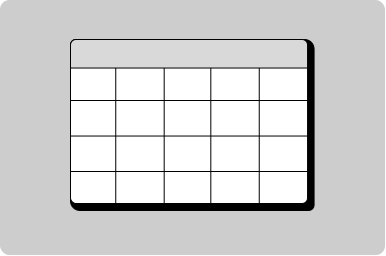
Pagination

Help users navigation between multiple pages or screens as part of a set.

Props

itemCount
number
Total number of data items within all pages.
pageNumber
number
The current page being viewed (non-zero based).
perPageCount
number
Number of data items shown per page.
Defaults to 10.
testId
string
Sets a data-testid attribute for automated testing.
variant
"all" | "links-only"
Controls which nav controls are visible.
Defaults to all.
mt, mr, mb, ml
Spacing
Apply margin to the top, right, bottom, and/or left of the component.
itemCount
number
Total number of data items within all pages.
pageNumber
number
The current page being viewed (non-zero based).
perPageCount
number
Number of data items shown per page.
Defaults to 10.
testId
string
Sets the data-testid attribute for automated testing.
variant
GoabPaginationVariant
Controls which nav controls are visible.
Defaults to all.
mt, mr, mb, ml
Spacing
Apply margin to the top, right, bottom, and/or left of the component.
itemcount
number
Total number of data items within all pages.
pagenumber
number
The current page being viewed (non-zero based).
perpagecount
number
Number of data items shown per page.
Defaults to 10.
testid
string
Sets a data-testid attribute for automated testing.
variant
GoabPaginationVariant all | links-only
Controls which nav controls are visible.
Defaults to all.
version
"1" | "2"
Design system version for styling.
Defaults to 1.
mt, mr, mb, ml
Spacing
Apply margin to the top, right, bottom, and/or left of the component.

Events

onChange
(detail: GoabPaginationOnChangeDetail) => void
Callback fired when the user navigates to a different page.
onChange
(event: GoabPaginationOnChangeDetail) => void
Emits when the page changes. Emits the new page number as part of the change detail.
_change
CustomEvent<{ page: number }>
Examples

Show number of results per page

Interaction

Disable the Previous button on the first page, and the Next button on the last page.

Layout

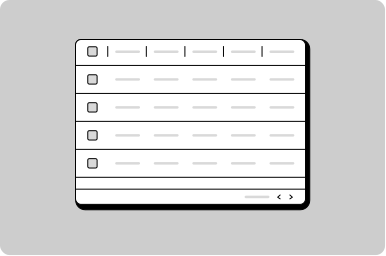
Ensure the pagination component is the full width of the table or content it's connected to.

Types

Use variant='links-only' for a simpler mobile-friendly pagination with just previous and next buttons.
All GoA Design System components are built to meet WCAG 2.2 AA standards. The following guidelines provide additional context for accessible implementation.

No accessibility-specific guidelines have been documented for this component yet.

View old component docs