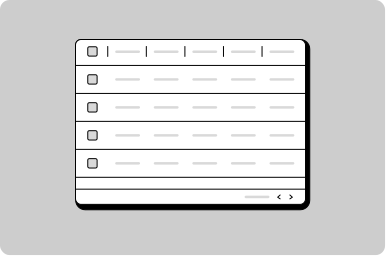
Table

A set of structured data that is easy for a user to scan, examine, and compare.

Props

sortMode
GoabTableSortMode
Sort mode: "single" allows one column, "multi" allows up to 2 columns.
Defaults to single.
striped
boolean
When true, alternates row background colors for improved readability.
testId
string
Sets a data-testid attribute for automated testing.
variant
GoabTableVariant
A relaxed variant of the table with more vertical padding for the cells.
Defaults to normal.
width
string
Width of the table. By default it will fit the enclosed content.
mt, mr, mb, ml
Spacing
Apply margin to the top, right, bottom, and/or left of the component.
sortMode
GoabTableSortMode
Sets sort mode: "single" allows one column, "multi" allows up to 2 columns.
striped
boolean
When true, alternates row background colors for improved readability.
testId
string
Sets the data-testid attribute for automated testing.
variant
GoabTableVariant
Sets a relaxed variant of the table with more vertical padding for the cells.
width
string
Width of the table. By default it will fit the enclosed content.
mt, mr, mb, ml
Spacing
Apply margin to the top, right, bottom, and/or left of the component.
sort-mode
GoabTableSortMode single | multi
Sort mode: "single" allows one column, "multi" allows up to 2 columns.
Defaults to single.
striped
boolean true | false
When true, alternates row background colors for improved readability.
Defaults to false.
testid
string
Sets a data-testid attribute for automated testing.
variant
GoabTableVariant normal | relaxed
A relaxed variant of the table with more vertical padding for the cells.
Defaults to normal.
version
GoabTableVersionType 1 | 2
Design system version for styling.
Defaults to 1.
width
string
Width of the table. By default it will fit the enclosed content.
mt, mr, mb, ml
Spacing
Apply margin to the top, right, bottom, and/or left of the component.

Events

onMultiSort
(detail: GoabTableOnMultiSortDetail) => void
Callback fired when multi-column sorting changes.
onSort
(detail: GoabTableOnSortDetail) => void
Callback fired when a single-column sort header is clicked.
onMultiSort
(event: GoabTableOnMultiSortDetail) => void
Emits when multi-column sorting changes. Emits an array of sort entries as GoabTableOnMultiSortDetail.
onSort
(event: GoabTableOnSortDetail) => void
Emits when a table column is sorted. Emits the sort column and direction as GoabTableOnSortDetail.
_multisort
CustomEvent<{ sorts: { column: string; direction: "asc" | "desc" }[] }>
_sort
CustomEvent<{ sortBy: string; sortDir: number }>

Table Sort Header Props

direction
GoabTableSortDirection
Sets the sort direction indicator.
Defaults to none.
name
string
Column name identifier for sorting.
sortOrder
GoabTableSortOrder
Sort order number for multi-column sort display. Used for displaying priority numbers when multiple columns are sorted.
direction
GoabTableSortDirection
Sets the sort direction indicator.
Defaults to none.
name
string
Column name identifier for sorting.
sortOrder
GoabTableSortOrder
Sort order number for multi-column sort display ("1", "2", etc).
direction
"asc" | "desc" | "none"
Sets the sort direction indicator.
Defaults to none.
name
string
Column name identifier for sorting.
sort-order
"0" | "1" | "2"
Sort order number for multi-column sort display ("1", "2", etc).
Defaults to 0.
version
"1" | "2"
Design system version for styling.
Defaults to 1.
Examples

Display numbers in a table so they can be scanned easily

Display user information

Filter a list using a push drawer

Filter data in a table
Set a specific tab to be active

Show different views of data in a table

Show multiple actions in a compact table

Show number of results per page

Show status in a table

Sort data in a table
Types

Use variant='relaxed' for tables with longer content that needs more breathing room between rows.
All GoA Design System components are built to meet WCAG 2.2 AA standards. The following guidelines provide additional context for accessible implementation.

Screen Readers

NameDateStatusJohn SmithJan 15, 2024ActiveJane DoeFeb 20, 2024Pending
Use proper semantic HTML table structure (thead, tbody, tr, th, td) for accessibility.
View old component docs