Pagination
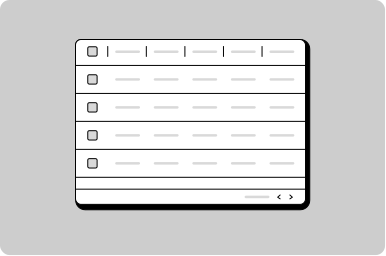
Help users navigation between multiple pages or screens as part of a set.
Props
itemCount
number
Total number of data items within all pages.
pageNumber
number
The current page being viewed (non-zero based).
perPageCount
number
Number of data items shown per page.
Defaults to
10.
testId
string
Sets a data-testid attribute for automated testing.
variant
"all" | "links-only"
Controls which nav controls are visible.
Defaults to
all.
mt, mr, mb, ml
Spacing
Apply margin to the top, right, bottom, and/or left of the component.
Events
onChange
(detail: GoabPaginationOnChangeDetail) => void
Callback fired when the user navigates to a different page.
Show number of results per page
interface User {
  id: string;
  firstName: string;
  lastName: string;
  age: number;
}

const [users] = useState<User[]>(() => generateUsers());
const [page, setPage] = useState<number>(1);
const [perPage, setPerPage] = useState<number>(10);

const offset = (page - 1) * perPage;
const pageUsers = users.slice(offset, offset + perPage);

function changePage(newPage: number) {
  setPage(newPage);
}

function handlePerPageCountChangeEvent(event: GoabDropdownOnChangeDetail) {
  setPage(1);
  setPerPage(parseInt(event.value || "10"));
}
<GoabTable width="100%" mb="xl">
<thead>
<tr>
<th>First name</th>
<th>Last name</th>
<th>Age</th>
</tr>
</thead>
<tbody>
{pageUsers.map((u) => (
<tr key={u.id}>
<td>{u.firstName}</td>
<td>{u.lastName}</td>
<td>{u.age}</td>
</tr>
))}
</tbody>
</GoabTable>
<GoabBlock alignment="center" width="100%">
<GoabBlock mb="m" alignment="center">
Show
<GoabDropdown
onChange={handlePerPageCountChangeEvent}
value={perPage.toString()}
width="9ch"
size="compact"
>
<GoabDropdownItem value="10" label="10" />
<GoabDropdownItem value="20" label="20" />
<GoabDropdownItem value="30" label="30" />
</GoabDropdown>
<span style={{ width: "75px" }}>per page</span>
</GoabBlock>
<GoabSpacer hSpacing="fill" />
<GoabPagination
itemCount={users.length}
perPageCount={perPage}
pageNumber={page}
onChange={(event) => changePage(event.page)}
/>
</GoabBlock>import { Component } from "@angular/core";
import type {
GoabDropdownOnChangeDetail,
GoabPaginationOnChangeDetail,
} from "@abgov/ui-components-common";
users: User[] = generateUsers();
page = 1;
perPage = 10;
get pageUsers(): User[] {
const offset = (this.page - 1) * this.perPage;
return this.users.slice(offset, offset + this.perPage);
}
handlePageChange(event: GoabPaginationOnChangeDetail): void {
this.page = event.page;
}
handlePerPageCountChangeEvent(event: GoabDropdownOnChangeDetail): void {
this.page = 1;
this.perPage = Number(event.value);
}
}
function generateUsers(): User[] {
const firstNames = [
"Emma",
"Liam",
"Olivia",
"Noah",
"Ava",
"James",
"Sophia",
"William",
"Isabella",
"Oliver",
"Mia",
"Benjamin",
"Charlotte",
"Elijah",
"Amelia",
"Lucas",
"Harper",
"Mason",
"Evelyn",
"Logan",
];
const lastNames = [
"Smith",
"Johnson",
"Williams",
"Brown",
"Jones",
"Garcia",
"Miller",
"Davis",
"Rodriguez",
"Martinez",
"Wilson",
"Anderson",
"Taylor",
"Thomas",
"Moore",
"Jackson",
"Martin",
"Lee",
"Thompson",
"White",
];
const users: User[] = [];
for (let i = 1; i <= 100; i++) {
users.push({
id: `user-${i}`,
firstName: firstNames[(i - 1) % firstNames.length],
lastName: lastNames[(i - 1) % lastNames.length],
age: 20 + (i % 40),
});
}
return users;<goab-table width="100%" mb="xl">
<thead>
<tr>
<th>First name</th>
<th>Last name</th>
<th>Age</th>
</tr>
</thead>
<tbody>
@for (user of pageUsers; track $index) {
<tr>
<td>{{ user.firstName }}</td>
<td>{{ user.lastName }}</td>
<td>{{ user.age }}</td>
</tr>
}
</tbody>
</goab-table>
<goab-block alignment="center" width="100%">
<goab-block mb="m" alignment="center">
Show
<goab-dropdown
(onChange)="handlePerPageCountChangeEvent($event)"
[value]="perPage.toString()"
width="9ch"
size="compact"
>
<goab-dropdown-item value="10" label="10"></goab-dropdown-item>
<goab-dropdown-item value="20" label="20"></goab-dropdown-item>
<goab-dropdown-item value="30" label="30"></goab-dropdown-item>
</goab-dropdown>
<span style="width: 75px">per page</span>
</goab-block>
<goab-spacer hSpacing="fill"></goab-spacer>
<goab-pagination
[itemCount]="users.length"
[perPageCount]="perPage"
[pageNumber]="page"
(onChange)="handlePageChange($event)"
>
</goab-pagination>
</goab-block>const firstNames = [
"Emma",
"Liam",
"Olivia",
"Noah",
"Ava",
"James",
"Sophia",
"William",
"Isabella",
"Oliver",
"Mia",
"Benjamin",
"Charlotte",
"Elijah",
"Amelia",
"Lucas",
"Harper",
"Mason",
"Evelyn",
"Logan",
];
const lastNames = [
"Smith",
"Johnson",
"Williams",
"Brown",
"Jones",
"Garcia",
"Miller",
"Davis",
"Rodriguez",
"Martinez",
"Wilson",
"Anderson",
"Taylor",
"Thomas",
"Moore",
"Jackson",
"Martin",
"Lee",
"Thompson",
"White",
];
const users = [];
for (let i = 1; i <= 100; i++) {
users.push({
id: "user-" + i,
firstName: firstNames[(i - 1) % firstNames.length],
lastName: lastNames[(i - 1) % lastNames.length],
age: 20 + (i % 40),
});
}
let page = 1;
let perPage = 10;
const tableBody = document.getElementById("table-body");
const pagination = document.getElementById("pagination");
const dropdown = document.getElementById("per-page-dropdown");
function renderTable() {
const offset = (page - 1) * perPage;
const pageUsers = users.slice(offset, offset + perPage);
tableBody.innerHTML = pageUsers
.map(
(u) => `
<tr>
<td>${u.firstName}</td>
<td>${u.lastName}</td>
<td>${u.age}</td>
</tr>
`,
)
.join("");
}
pagination.addEventListener("_change", (e) => {
page = e.detail.page;
renderTable();
});
dropdown.addEventListener("_change", (e) => {
perPage = parseInt(e.detail.value);
page = 1;
pagination.setAttribute("perpagecount", perPage);
pagination.setAttribute("pagenumber", "1");
renderTable();
});
renderTable();<goa-table version="2" width="100%" mb="xl">
<table width="100%">
<thead>
<tr>
<th>First name</th>
<th>Last name</th>
<th>Age</th>
</tr>
</thead>
<tbody id="table-body">
<!-- Rows populated by JavaScript -->
</tbody>
</table>
</goa-table>
<goa-block alignment="center" width="100%">
<goa-block mb="m" alignment="center">
Show
<goa-dropdown version="2" id="per-page-dropdown" value="10" width="9ch" size="compact">
<goa-dropdown-item value="10" label="10"></goa-dropdown-item>
<goa-dropdown-item value="20" label="20"></goa-dropdown-item>
<goa-dropdown-item value="30" label="30"></goa-dropdown-item>
</goa-dropdown>
<span style="width: 75px">per page</span>
</goa-block>
<goa-spacer hspacing="fill"></goa-spacer>
<goa-pagination
version="2"
id="pagination"
itemcount="100"
perpagecount="10"
pagenumber="1"
>
</goa-pagination>
</goa-block>Layout
Do
Ensure the pagination component is the full width of the table or content it's connected to.
Interaction
Do
Disable the Previous button on the first page, and the Next button on the last page.
Types
Tip
Use variant='links-only' for a simpler mobile-friendly pagination with just previous and next buttons.