Header

Provide structure to help users find their way around the service.

Props

fullMenuBreakpoint
number
Sets the breakpoint in px for the full menu to display.
heading
string
Set the service name to display in the app header.
maxContentWidth
string
Maximum width of the content area.
secondaryText
string
V2 only: Secondary text displayed under the service name.
testId
string
Sets a data-testid attribute for automated testing.
url
string
Set the URL to link from the alberta.ca logo. A full url is required.
fullMenuBreakpoint
number
Sets the breakpoint in px for the full menu to display.
heading
string
Sets the service name to display in the app header.
maxContentWidth
string
Maximum width of the content area.
secondaryText
string
V2 only: Secondary text displayed under the service name.
testId
string
Sets a data-testid attribute for automated testing.
url
string
Sets the URL to link from the alberta.ca logo. A full url is required.
fullmenubreakpoint
number
Sets the breakpoint in px for the full menu to display.
Defaults to TABLET_BP.
hasmenuclickhandler
boolean true | false
When true, clicking the menu button dispatches _menuClick event instead of toggling the menu. Use for custom menu handling.
Defaults to false.
heading
string
Set the service name to display in the app header.
maxcontentwidth
string
Maximum width of the content area.
secondarytext
string
V2 only: Secondary text displayed under the service name.
testid
string
Sets a data-testid attribute for automated testing.
url
string
Set the URL to link from the alberta.ca logo. A full url is required.
version
"1" | "2"
Design system version for styling.
Defaults to 1.

Events

onMenuClick
() => void
Callback fired when the menu button is clicked. When provided, clicking the menu button dispatches a custom event instead of toggling the menu.
onMenuClick
() => void
Emits when the menu button is clicked. Used for custom menu handling.
_menuClick
CustomEvent

ReactNode

banner
ReactNode
V2 only: Banner content displayed above the header.
navigation
ReactNode
Links and app header menus appear in the navigation bar below the header. Use plain links for single items and app header menu for grouped items with a dropdown.
phase
ReactNode
V2 only: Phase badge content displayed beside the service name.
utilities
ReactNode
Actions like user account menus appear on the right side of the header. Use menu button for dropdowns with actions.
banner
TemplateRef
V2 only: Banner content displayed above the header.
navigation
TemplateRef
Links and app header menus appear in the navigation bar below the header. Use plain links for single items and app header menu for grouped items with a dropdown.
phase
TemplateRef
V2 only: Phase badge content displayed beside the service name.
utilities
TemplateRef
Actions like user account menus appear on the right side of the header. Use menu button for dropdowns with actions.
banner
slot
V2 only: Banner content displayed above the header.
navigation
slot
Links and app header menus appear in the navigation bar below the header. Use plain links for single items and app header menu for grouped items with a dropdown.
phase
slot
V2 only: Phase badge content displayed beside the service name.
utilities
slot
Actions like user account menus appear on the right side of the header. Use menu button for dropdowns with actions.

App Header Menu Props

heading
string
The menu heading text displayed as the dropdown trigger.
leadingIcon
GoabIconType
Icon displayed before the heading text.
slotName
string
Slot name used to place this menu in the correct slot of the parent component.
testId
string
Sets a data-testid attribute for automated testing.
heading
string
The menu heading text displayed as the dropdown trigger.
leadingIcon
GoabIconType
Icon displayed before the heading text.
slotName
string
Sets the slot name for the component.
testId
string
Sets a data-testid attribute for automated testing.
heading
string
The menu heading text displayed as the dropdown trigger.
leadingicon
GoabIconType
Icon displayed before the heading text.
testid
string
Sets a data-testid attribute for automated testing.
Defaults to rootEl.
type
"primary" | "secondary"
The menu style variant. Primary uses bold text, secondary uses regular weight.
Defaults to primary.
version
"1" | "2"
Design system version for styling.
Defaults to 1.
Examples

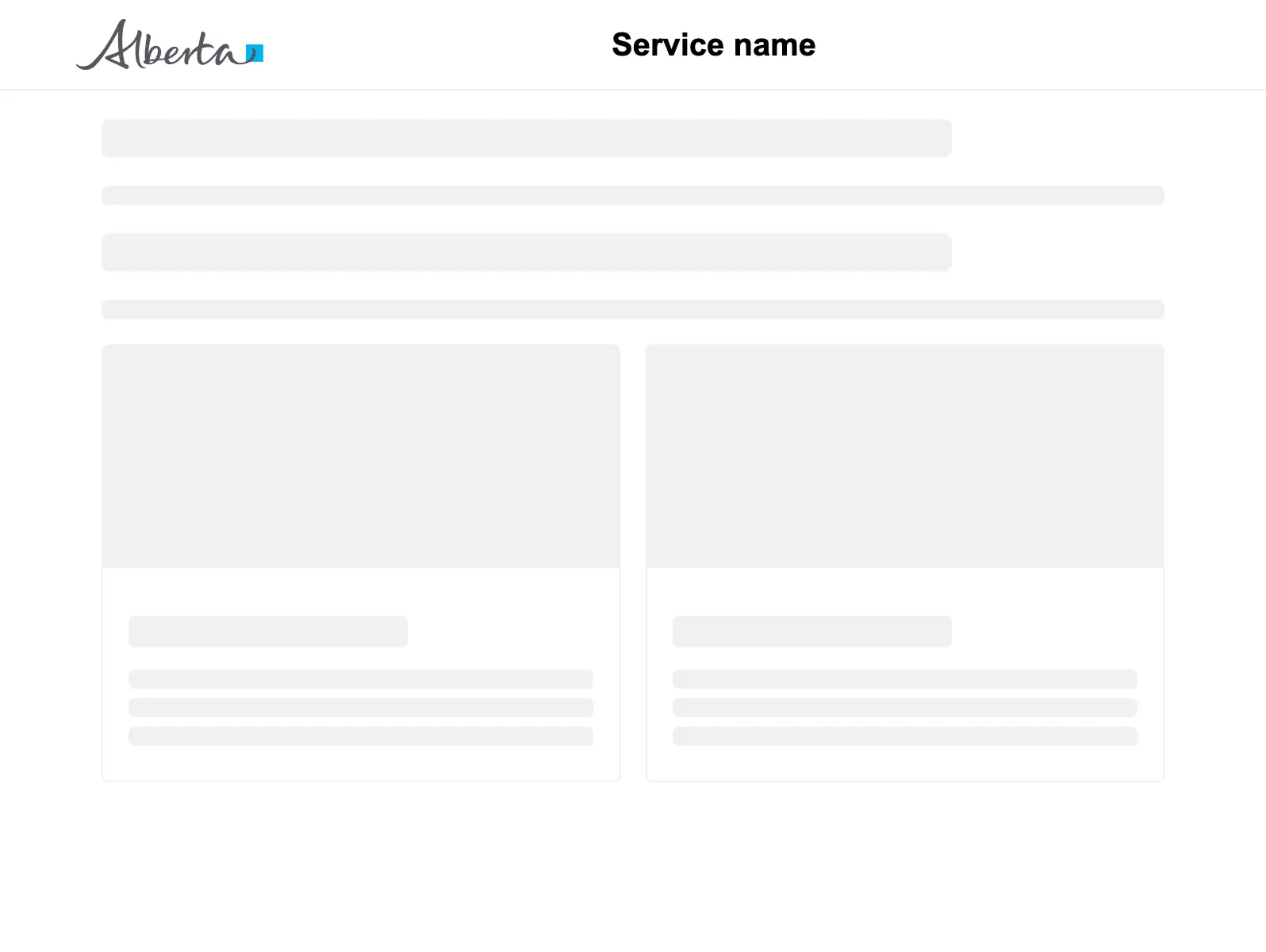
Basic page layout

<GoabOneColumnLayout>
  <section slot="header">
    <GoabAppHeader url="/" heading="Service name">
      <a href="/login">Sign in</a>
    </GoabAppHeader>
  </section>
  <GoabPageBlock width="704px">
    <p>
      <GoabSkeleton type="header" size="4" />
      <GoabSkeleton type="text" size="1" />
    </p>
    <p>
      <GoabSkeleton type="header" size="4" />
      <GoabSkeleton type="text" size="1" />
    </p>
    <GoabGrid minChildWidth="30ch">
      <GoabSkeleton type="card" size="2" />
      <GoabSkeleton type="card" size="2" />
    </GoabGrid>
  </GoabPageBlock>
  <section slot="footer">
    <GoabAppFooter />
  </section>
</GoabOneColumnLayout>
<goab-column-layout>
  <section slot="header">
    <goab-app-header url="/" heading="Service name">
      <a href="/login">Sign in</a>
    </goab-app-header>
  </section>
  <goab-page-block width="704px">
    <p>
      <goab-skeleton type="header" size="4"></goab-skeleton>
      <goab-skeleton type="text" size="1"></goab-skeleton>
    </p>
    <p>
      <goab-skeleton type="header" size="4"></goab-skeleton>
      <goab-skeleton type="text" size="1"></goab-skeleton>
    </p>
    <goab-grid minChildWidth="30ch">
      <goab-skeleton type="card" size="2"></goab-skeleton>
      <goab-skeleton type="card" size="2"></goab-skeleton>
    </goab-grid>
  </goab-page-block>
  <section slot="footer">
    <goab-app-footer></goab-app-footer>
  </section>
</goab-column-layout>
<goa-one-column-layout>
  <section slot="header">
    <goa-app-header version="2" url="/" heading="Service name">
      <a href="/login">Sign in</a>
    </goa-app-header>
  </section>
  <goa-page-block width="704px">
    <p>
      <goa-skeleton type="header" size="4"></goa-skeleton>
      <goa-skeleton type="text" size="1"></goa-skeleton>
    </p>
    <p>
      <goa-skeleton type="header" size="4"></goa-skeleton>
      <goa-skeleton type="text" size="1"></goa-skeleton>
    </p>
    <goa-grid min-child-width="30ch">
      <goa-skeleton type="card" size="2"></goa-skeleton>
      <goa-skeleton type="card" size="2"></goa-skeleton>
    </goa-grid>
  </goa-page-block>
  <section slot="footer">
    <goa-app-footer version="2"></goa-app-footer>
  </section>
</goa-one-column-layout>

Header with navigation

  <GoabAppHeader
    url="https://www.alberta.ca"
    heading="Service name"
    navigation={
      <>
        <a href="#">Dashboard</a>
        <GoabAppHeaderMenu heading="Search">
          <a href="#">Cases</a>
          <a href="#">Payments</a>
          <a href="#">Outstanding</a>
        </GoabAppHeaderMenu>
        <a href="#">Support</a>
    }
    utilities={
      <GoabMenuButton text="John Smith" type="tertiary" size="compact">
        <GoabMenuAction text="User settings" action="user-settings" />
        <GoabMenuAction text="Sign out" action="sign-out" />
      </GoabMenuButton>
    }
  ></GoabAppHeader>
</>
<goab-app-header
  url="https://example.com"
  heading="Service name"
  [navigation]="navigationTemplate"
  [utilities]="utilitiesTemplate"
>
</goab-app-header>
<ng-template #navigationTemplate>
  <a href="#">Dashboard</a>
  <goab-app-header-menu heading="Search">
    <a href="#">Cases</a>
    <a href="#">Payments</a>
    <a href="#">Outstanding</a>
  </goab-app-header-menu>
  <a href="#">Support</a>
</ng-template>
<ng-template #utilitiesTemplate>
  <goab-menu-button text="John Smith" type="tertiary" size="compact">
    <goab-menu-action text="User settings" action="user-settings"></goab-menu-action>
    <goab-menu-action text="Sign out" action="sign-out"></goab-menu-action>
  </goab-menu-button>
</ng-template>
<goa-app-header version="2" url="https://example.com" heading="Service name">
  <a slot="navigation" href="#">Dashboard</a>
  <goa-app-header-menu slot="navigation" heading="Search">
    <a href="#">Cases</a>
    <a href="#">Payments</a>
    <a href="#">Outstanding</a>
  </goa-app-header-menu>
  <a slot="navigation" href="#">Support</a>
  <goa-menu-button
    slot="utilities"
    version="2"
    text="John Smith"
    type="tertiary"
    size="compact"
  >
    <goa-menu-action text="User settings" action="user-settings"></goa-menu-action>
    <goa-menu-action text="Sign out" action="sign-out"></goa-menu-action>
  </goa-menu-button>
</goa-app-header>

Positioning

Use consistent maxContentWidth with your page layout so the header aligns with the content below it.

Content

Always provide a heading prop on AppHeader to identify your service. Without it, users won't know which service they're using.
All GoA Design System components are built to meet WCAG 2.2 AA standards. The following guidelines provide additional context for accessible implementation.

No accessibility-specific guidelines have been documented for this component yet.

View old component docs