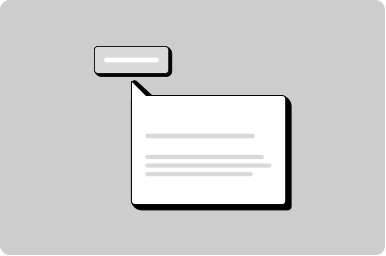
Tooltip
A small popover that displays more information about an item.
Props
content
any
The content of the tooltip.
testId
string
Sets a data-testid attribute for automated testing.
position
top | bottom | left | right
Position with respect to the child element.
Defaults to
top.
halign
left | right | center
Horizontal alignment to the child element.
Defaults to
center.
maxWidth
string
Sets the maximum width of the tooltip. Must use 'px' unit.
mt, mr, mb, ml
none | 3xs | 2xs | xs | s | m | l | xl | 2xl | 3xl | 4xl
Apply margin to the top, right, bottom, and/or left of the component.
Slots
content
Named slot for content
Copy to clipboard
.token-block {
  background-color: var(--goa-color-interactive-default);
  height: 22px;
  width: 24px;
  border-radius: var(--goa-border-radius-s);
}
const [isCopied, setIsCopied] = useState(false);
function copyCode() {
const codeToCopy = "$goa-color-interactive-default";
navigator.clipboard.writeText(codeToCopy).then(() => {
setIsCopied(true);
setTimeout(() => setIsCopied(false), 1000);
});
}<GoabBlock alignment="center">
<div className="token-block" />
<span>$goa-color-interactive-default</span>
<GoabTooltip content={isCopied ? "Copied" : "Copy?"} position="top">
<GoabIconButton icon="copy" onClick={copyCode} mt="2xs" />
</GoabTooltip>
</GoabBlock>isCopied = false;
copyCode(): void {
const codeToCopy = "$goa-color-interactive-default";
navigator.clipboard.writeText(codeToCopy).then(() => {
this.isCopied = true;
setTimeout(() => (this.isCopied = false), 1000);
});
}<goab-block alignment="center" gap="s">
<div class="token-block"></div>
<span>$goa-color-interactive-default</span>
<goab-tooltip [content]="isCopied ? 'Copied' : 'Copy?'" position="top">
<goab-icon-button icon="copy" (onClick)="copyCode()" mt="2xs"></goab-icon-button>
</goab-tooltip>
</goab-block>.token-block {
background-color: var(--goa-color-interactive-default);
height: 22px;
width: 24px;
border-radius: var(--goa-border-radius-s);
}const copyBtn = document.getElementById("copy-btn");
const tooltip = document.getElementById("copy-tooltip");
function copyCode() {
const codeToCopy = "$goa-color-interactive-default";
navigator.clipboard.writeText(codeToCopy).then(() => {
tooltip.setAttribute("content", "Copied");
setTimeout(() => {
tooltip.setAttribute("content", "Copy?");
}, 1000);
});
}
copyBtn.addEventListener("_click", copyCode);<goa-block alignment="center">
<div class="token-block"></div>
<span>$goa-color-interactive-default</span>
<goa-tooltip id="copy-tooltip" content="Copy?" position="top">
<goa-icon-button id="copy-btn" icon="copy" mt="2xs"></goa-icon-button>
</goa-tooltip>
</goa-block>Show a label on an icon only button
<GoabButtonGroup alignment="start">
  <GoabTooltip content="Edit">
    <GoabIconButton icon="pencil" ariaLabel="Edit" />
  </GoabTooltip>
  <GoabTooltip content="Alerts">
    <GoabIconButton icon="notifications" ariaLabel="Alerts" />
  </GoabTooltip>
  <GoabTooltip content="Settings">
    <GoabIconButton icon="settings" ariaLabel="Settings" />
  </GoabTooltip>
</GoabButtonGroup>
<goab-button-group alignment="start">
<goab-tooltip content="Edit">
<goab-icon-button icon="pencil" ariaLabel="Edit"></goab-icon-button>
</goab-tooltip>
<goab-tooltip content="Alerts">
<goab-icon-button icon="notifications" ariaLabel="Alerts"></goab-icon-button>
</goab-tooltip>
<goab-tooltip content="Settings">
<goab-icon-button icon="settings" ariaLabel="Settings"></goab-icon-button>
</goab-tooltip>
</goab-button-group><goa-button-group alignment="start">
<goa-tooltip content="Edit">
<goa-icon-button icon="pencil" aria-label="Edit"></goa-icon-button>
</goa-tooltip>
<goa-tooltip content="Alerts">
<goa-icon-button icon="notifications" aria-label="Alerts"></goa-icon-button>
</goa-tooltip>
<goa-tooltip content="Settings">
<goa-icon-button icon="settings" aria-label="Settings"></goa-icon-button>
</goa-tooltip>
</goa-button-group>Show full date in a tooltip
<GoabContainer
  type="non-interactive"
  accent="thick"
  heading={
    <span>
      Joan Smith
      <GoabTooltip content="Nov 23, 2023 at 10:35 am">
        <span
          style={{
            color: "var(--goa-color-text-secondary)",
            font: "var(--goa-typography-body-xs)",
          }}
        >
          4 hours ago
        </span>
      </GoabTooltip>
    </span>
  }
>
  <GoabText tag="p" size="body-m" mt="none" mb="none">
    Hover on the time it was added to see the full date and time.
  </GoabText>
</GoabContainer>
<goab-container type="non-interactive" accent="thick" [title]="containerTitle">
<ng-template #containerTitle>
Joan Smith
<goab-tooltip content="Nov 23, 2023 at 10:35 am">
<span
style="
color: var(--goa-color-text-secondary);
font: var(--goa-typography-body-xs);
"
>
4 hours ago
</span>
</goab-tooltip>
</ng-template>
<goab-text tag="p" size="body-m" mt="none" mb="none"
>Hover on the time it was added to see the full date and time.</goab-text
>
</goab-container><goa-container type="non-interactive" accent="thick">
<div slot="title">
Joan Smith
<goa-tooltip content="Nov 23, 2023 at 10:35 am">
<span
style="
color: var(--goa-color-text-secondary);
font: var(--goa-typography-body-xs);
"
>
4 hours ago
</span>
</goa-tooltip>
</div>
<goa-text as="p" size="body-m" mt="none" mb="none"
>Hover on the time it was added to see the full date and time.</goa-text
>
</goa-container>Other
Don't
Don't use tooltips to communicate essential information such as required field indicators, error messages, critical instructions, or information needed to complete a task.
Do
Use tooltips for additional context that enhances understanding, definitions of terms, or keyboard shortcuts.
Feedback
Do
Use tooltips to describe an icon button and provide clarity on what the icon button will do.
Don't
Don't position a tooltip in a way that forces the user to scroll to view the tooltip content.
Don't
Don't use tooltips inconsistently; if one icon button has a tooltip, the rest of the icon buttons must also have tooltips.
Don't
Don't add more than 140 characters to a tooltip; for lengthy information use the details component.
Tooltip
Don't
Don't position a tooltip too far from the element.
Don't
Don't use tooltips for information that is vital to task completion.