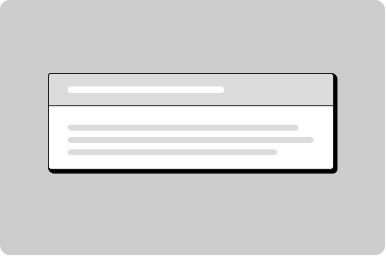
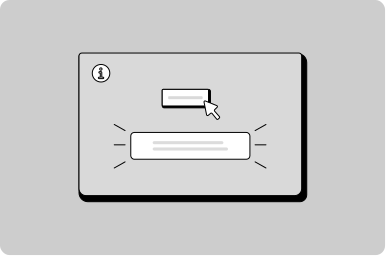
Notification banner
Display important page level information or notifications.
Props
type
emergency | important | information | event
Define the context and colour of the notification.
maxcontentwidth
any
Maximum width of the content area.
Defaults to
100%.
arialive
assertive | off | polite
Indicates how assistive technology should handle updates to the live region.
Defaults to
polite.
testId
string
Sets a data-testid attribute for automated testing.
emphasis
high | low
Sets the visual prominence. 'high' for full background, 'filled' for medium.
Defaults to
high.
compact
boolean
When true, reduces padding for a more compact notification.
Defaults to
false.
Events
onDismiss
(event: Event) => void
_dismiss
CustomEvent
<GoabNotification type="important">
  Our system will be under maintenance from Thursday, September 15, 2025 at 10 pm to
  Friday, September 16, 2025 at 10 am. If you have questions or concerns, contact us
  at <a href="mailto:support@example.com">support@example.com</a>.
</GoabNotification>
<goab-notification type="important">
Our system will be under maintenance from Thursday, September 15, 2025 at 10 pm to
Friday, September 16, 2025 at 10 am. If you have questions or concerns, contact us at
<a href="mailto:support@example.com">support@example.com</a>.
</goab-notification><goa-notification version="2" type="important">
Our system will be under maintenance from Thursday, September 15, 2025 at 10 pm to
Friday, September 16, 2025 at 10 am. If you have questions or concerns, contact us at
<a href="mailto:support@example.com">support@example.com</a>.
</goa-notification>Feedback
Your profile information has been updated.
Click to chat
Do
Place your temporary notification above existing fixed position elements.
Nachos have been added to your cart.
Do
Use a temporary notification to communicate actions that have just taken place to the user.
Message received.
Don't
Never put critical actions or buttons inside a temporary notification as they will disappear automatically.
Your profile was created.
Do
Keep content short and concise.
Submit your application
Don't
Don't put critical actions for the user in a temporary notification as they automatically dismiss.
Your application is being submitted…
Do
End loading messages with an ellipsis to indicate that the action is ongoing.
Your profile information has been updated.
Your contact information has been updated.
Don't
Don't show multiple temporary notifications at the same time as it can overwhelm users before they time out.
Your profile information has been updated.
Do
Only show one temporary notification at a time; subsequent ones appear after initial instances disappear.
Your reference number is 123456.
Don't
Don't use a temporary notification for success states where important information is displayed for a user to reference since it will disappear.
Types
Tip
For temporary toast-style messages, use TemporaryNotification instead of Notification. Notification stays on screen until dismissed.